Guide
How to fix a blurry photo
Why photos come out blurry, what can actually be recovered, and the fastest way to sharpen a soft or low-resolution image.
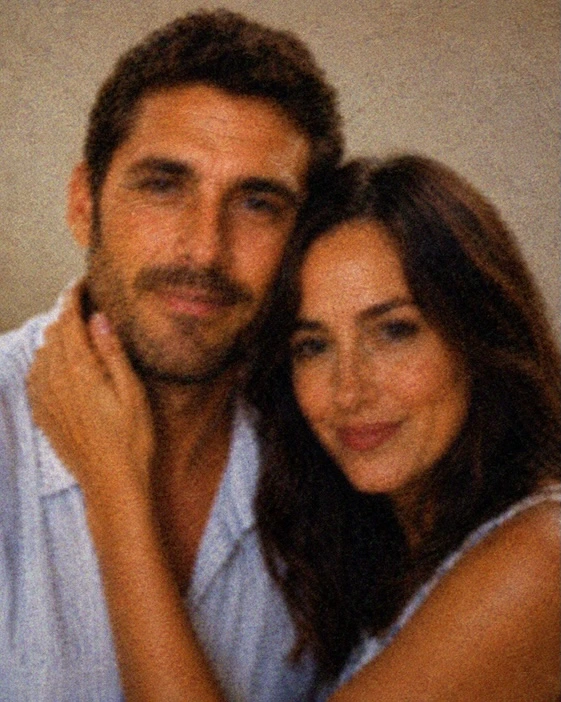
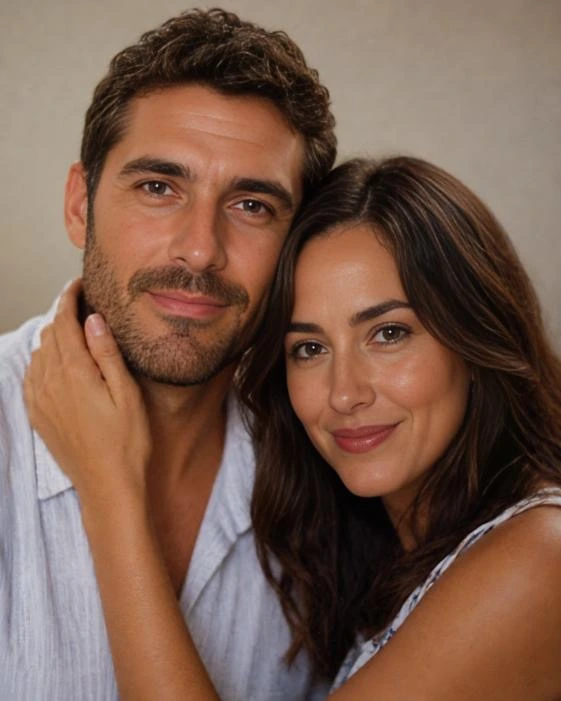
Drag to compare — a real Reviva restore
Not all blur is equal, and that determines what's recoverable. Here's how to tell what you're dealing with and get the sharpest possible result.
Know your blur
Soft focus and low resolution recover the best. Mild motion blur is partly recoverable. Extreme motion blur has hard limits — no tool invents detail that was never captured, but AI gets closest on faces.
Why AI beats the sharpen slider
Traditional sharpening raises edge contrast, which exaggerates blur and adds halos. AI reconstructs plausible detail — eyes, texture, edges — so the result looks real, not crunchy.
Resolution and blur are linked
Small, low-resolution photos read as blurry when enlarged. Upscaling with detail reconstruction often fixes 'blur' that's really just a lack of pixels.
How it works
From your camera roll to restored in seconds
-
Step 01
Open Reviva and tap Enhance
The enhance mode targets sharpness and detail recovery.
-
Step 02
Choose the blurry photo
Soft, low-res, and mildly out-of-focus photos work best.
-
Step 03
Save the sharper version
Compare against the original and keep both.
Ready to see your photo restored?
Free to try — your first restore takes seconds.
Frequently asked
Can you really unblur a photo?
Soft, low-resolution, and mildly out-of-focus photos can be sharpened impressively by reconstructing detail. Severe motion blur has limits.
What's the best way to unblur a face?
AI face reconstruction, like Reviva's enhance mode, recovers facial detail far better than a sharpening filter.
Keep exploring